


Implemented file formats (mp3, wav, avi)
This article below introduces the most commonly used audio and video file formats (mp3, wav and avi) that can be made, played or transferred by your application developed by using the background support of Ozeki VoIP SIP SDK.
What you need to know about media file formats
Being an efficient VoIP solution with video support it is natural that Ozeki VoIP SIP SDK supports the most common media formats. In this article you will read about mp3, wav, and avi file format that can be used (played, transferred) by your application that you will build with Ozeki VoIP SIP SDK.
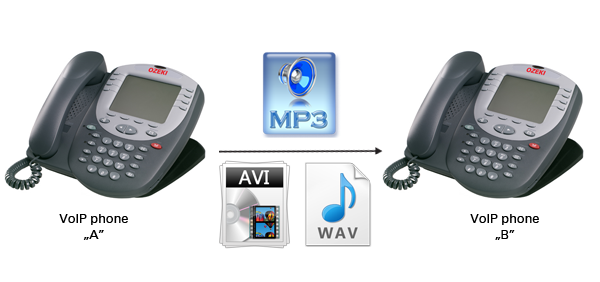
MP3 is a patented digital audio encoding format using a form of lossy data compression. It is a common audio format for consumer audio storage. The use in MP3 of a lossy compression algorithm is designed to greatly reduce the amount of data required to represent the audio recording and still sound like a faithful reproduction of the original uncompressed audio for most listeners. An MP3 file that is created using the setting of 128 kbit/s will result in a file that is about 1/11 the size of the CD file created from the original audio source. An MP3 file can also be constructed at higher or lower bit rates, with higher or lower resulting quality. The higher the bit rate, the larger the compressed file will be, and the closer it will sound to the original file. The compression works by reducing accuracy of certain parts of sound that are considered to be beyond the auditory resolution ability of most people.
Waveform Audio File Format (WAVE, or more commonly WAV) is a Microsoft and IBM audio file format standard for storing an audio bitstream on PCs. Though a WAV file can hold compressed audio, the most common WAV format contains uncompressed audio in the linear pulse code modulation (LPCM) format. The standard audio file format for CDs, for example, is LPCM-encoded, containing two channels of 44,100 samples per second, 16 bits per sample. Since LPCM uses an uncompressed storage method which keeps all the samples of an audio track, professional users or audio experts may use the WAV format for maximum audio quality. Uncompressed WAV files are large, that is why sharing of WAV files over the Internet is uncommon. It is more suitable for retaining first generation archived files of high quality, for use on a system where disk space is not a constraint, or in applications such as audio editing, where the time involved in compressing and uncompressing data is a concern. For storing and transferring audio, MP3 format is more commonly used.
Audio Video Interleaved or shortly AVI, is a multimedia container format that can contain both audio and video data in a file container that allows synchronous audio-with-video playback. AVI format is one of the oldest video formats. Its advantage is its simple architecture, due to which AVI runs on a number of different systems like Windows, Mac's, Linux, Unix and is supported by all most popular web-browsers.
File format implementation
Ozeki VoIP SIP SDK provides a great background support for all the technologies and functionalities that are mentioned above in this article. If you want to create a VoIP solution that has all this support, you only need to download, install and use Ozeki VoIP SIP SDK.
Examples on implementation:
Summary
If you have read through this page carefully, you already have all the knowledge you need to have about audio and video file formats. After studying the provided guides, now you are ready to build your own solution using Ozeki VoIP SIP SDK.
If you have any question or need assistance, please contact us at info@voip-sip-sdk.com
Select a suitable Ozeki VoIP SIP SDK license for your project at: Pricing and licensing information
Related Pages
As you are now familiar with all the terms concerning this topic, now it is time to take a step further and explore what other extraordinary solution Ozeki VoIP SIP SDK can provide to you.
More information