High performance VoIP SDK for .Net developers

VoIP SIP SDK

Automated database information retrieval on phone ring / phone dial

Explanation

Prerequisities

Download: 40_CustomerIdentification.zip

This article is a brief introduction about automated database information retrieval in relation with Ozeki VoIP SIP SDK. After reading through this page you will be fully familiar with all the essential terms concerning database handling in call centers and what you will need for creating your own solution using Ozeki VoIP SIP SDK.

Introduction

Every big computer system uses databases for storing some information. The actual solutions depend on the purpose of the computer system and the business logic of the company but it is always essential that the database is used for making the data handling easier.
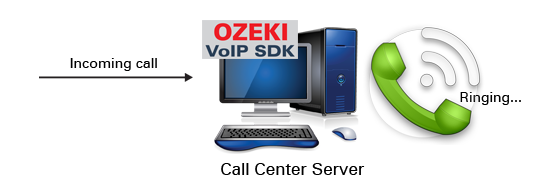

Figure 1 - VoIP database handling

In a VoIP communication system the database should store the data of the contacts, basic calling information, the information about call centers, PBXs, used SIP accounts, IVR tree information etc.

Ozeki VoIP SIP SDK provides you the background support for handling database information, the actual implementation depends on your company's business logic but you will basically need to call the proper methods for your call center solution.

This article only shows how a local database can be integrated into a call center server solution. The example program covers a wider topic, therefore it is suggested to read the following articles too to get a full explanation on the code:

If you want to handle a local database, you need to derive a class from the .NET provided DBConnection class. As that is an abstract class, the methods defined in it cannot be used directly.

The example program has the DatabaseConnection class for the connection handling. This class overrides the methods that are needed for a local database. Code 1 shows the definition of these methods.

protected override DbTransaction BeginDbTransaction(IsolationLevel isolationLevel)
public override void ChangeDatabase(string databaseName)
public override void Open()
public override void Close()
protected override DbCommand CreateDbCommand
public DbCommand CreateDbCommand(string query)

Code 1 - Methods for database handling

When you want to connect to a local database, you need to set the database server type as the connection depends on that one. Code 2 shows, how you can use the Visual Studio provided SQLServerCE server type.

case ServerType.SqlServerCe:
    // MSSql Server Compact Edition (for standalone .sdf files)
    // Requires a separate install of "Microsoft SQL Server Compact Edition" deployment.
    // Note, that SQL CE still does NOT support VIEWs!
    this._connection = new SqlCeConnection(this.ConnectionString);
    break;

Code 2 - Initialize a local database

In Code 3 you can see how exactly the database connection is done by defining a connection string for the CustomerDatabase.sdf file. This connecting is defined in the CallCenter class in this example.

connection = new DatabaseConnection(DatabaseConnection.ServerType.SqlServerCe, @"Data Source=|DataDirectory|\CustomerDatabase.sdf");
connection.Open();

Code 3 - Connecting to a local database

When you want to execute an SQL command in the database, you can use the instructions shown in Code 4. These show how you can execute a SELECT or an INSERT command.

string sql = string.Format("SELECT c.customer_id, c.fullname, n.phone FROM customer c INNER JOIN number n ON c.customer_id = n.customer_id WHERE n.phone = '{0}'", PhoneNumber);
reader = this.CreateDbCommand(sql).ExecuteReader();

this.CreateDbCommand(string.Format("INSERT INTO note (customer_id, note, created) VALUES ({0}, '{1}', '{2}')", customerDatasheet.Id, customerDatasheet.Notes.Last().Value, customerDatasheet.Notes.Last().Key.ToString("yyyy-MM-dd HH:mm:ss"))).ExecuteNonQuery();

Code 4 - Executing SQL commands

This example program pops up a window of the customer datasheet in the case of an incoming or outgoing call, or when the user types in a phone number on the GUI and presses the Show datasheet button. The local database is used in each cases and the user can add notes to the data sheet that are saved into the database when pressing the Save&Close button on the data form window.

This article introduced you the basic knowledge about information retrieval in call centers and showed how Ozeki VoIP SIP SDK can help you to fulfill your wishes about this topic. If you have read through this page carefully, you already have all the knowledge you need to start on your own solution.

As you are now familiar with all the terms concerning this topic, now it is time to take a step further and explore what other extraordinary solution Ozeki VoIP SIP SDK can provide to you.

If you have any questions or need assistance, please contact us at info@voip-sip-sdk.com

You can select a suitable Ozeki VoIP SIP SDK license for your project on licensing page

Related Pages

Operating system: Windows 8, Windows 7, Vista, 200x, XP
System memory: 512 MB+
Free disk space: 100 MB+
Development environment: Visual Studio 2010 (Recommended), Visual Studio 2008, Visual Studio 2005
Programming language: C#.NET
Supported .NET framework: .NET Framework 4.5, .NET Framework 4.0, .NET Framework 3.5 SP1
Software development kit: OZEKI VoIP SIP SDK(Download)
VoIP connection: 1 SIP account